Word Search Builder
A free Word Search Maker: type your words, pick a size, and your puzzle is ready to print.
How Word Search Builder Works
Word Search Builder turns your own words into a word search. Each word is hidden in the grid, the leftover cells are filled in, and the sheet prints with your title above and the word list below.
You set the difficulty. The grid runs from 5 to 50 letters each way, and three switches decide whether words run backwards, run diagonally, and cross one another. If a word does not fit, a notice names it, and where a bigger grid would take your whole list that size is one click away.
Press Shuffle for a fresh grid from the same words, as often as you like. The Seed box on the Advanced tab shows the number behind the grid; type it back in to get the same grid again. Whatever comes up, a word almost never reads anywhere the answers do not mark.
One sheet can become a hundred. Set Copies and each copy hides the same words in a grid of its own, so a whole class can be handed a puzzle nobody beside them has. They download as one PDF, the puzzles first and the answer sheets after, each printed with the copy it is so the keys stay in order.
The rest of the sheet is yours too: instructions under the title and, on the Advanced tab, a name and date line, Letter or A4 paper, grid lines around the grid or every letter, and uppercase or lowercase letters. The Answers tab shows where each word is before you print.
It is free and there is nothing to install. The puzzle and the PDF are made right in your browser, so the words you type never leave it.
How to Make a Word Search
- 1
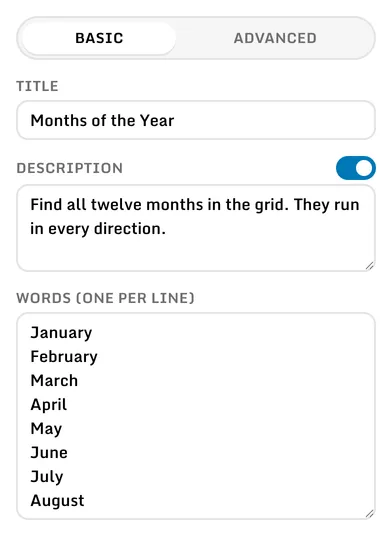
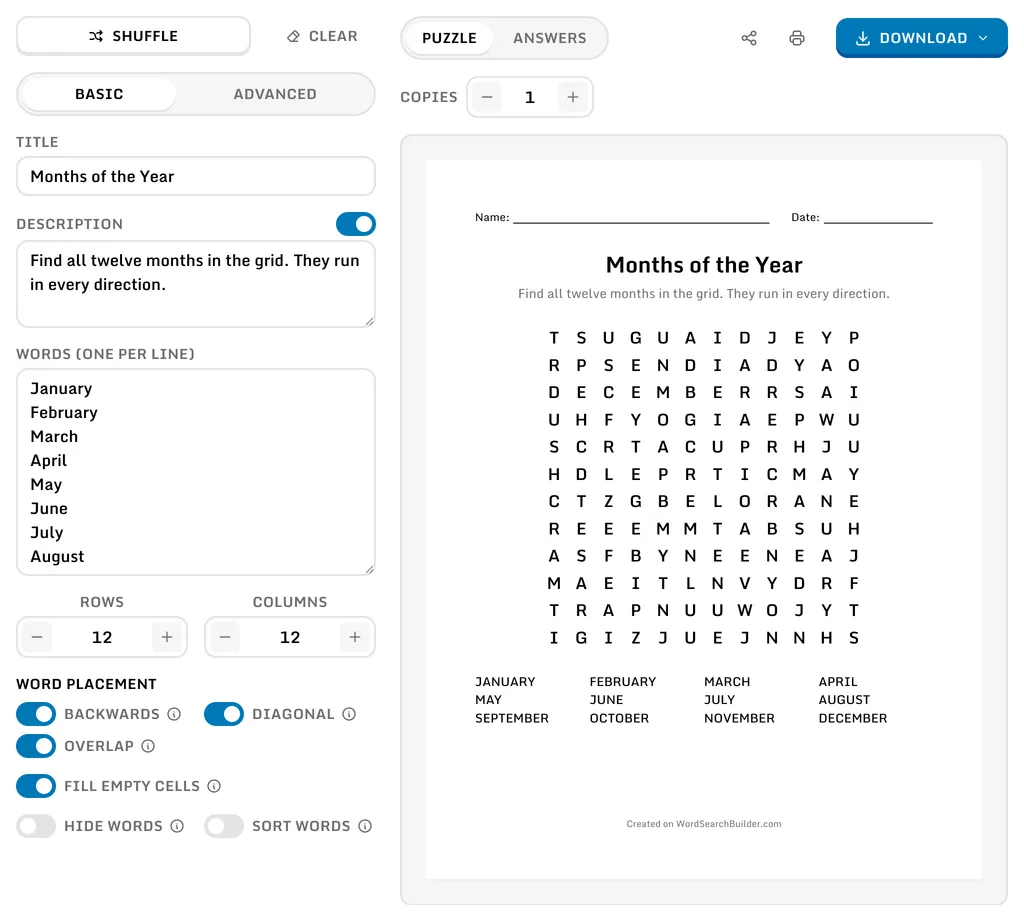
Start on the Basic tab: give the puzzle a title, turn on Description for a note under it, and type your words in the box below, one per line. Everything updates as you type.
- 2
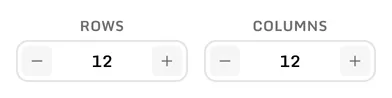
Set how many rows and columns the grid has, from 5 to 50 each. A word longer than the longest side will not fit.
- 3
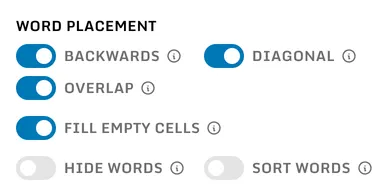
Backwards, Diagonal, and Overlap set the difficulty. With all three off, words run across and down and never cross; with all three on, they run in all eight directions and share letters. Turn Fill Empty Cells off to leave the cells no word covers blank, which is easier still. Below them, Hide Words leaves the word list off the sheet and Sort Words prints it in alphabetical order rather than the order typed.
- 4
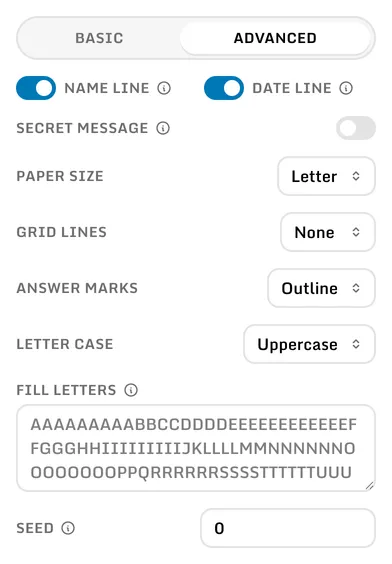
The rest is on the Advanced tab: a name line and a date line for the top of the sheet, a secret message spelled out by the cells no word covers, Letter or A4 paper, grid lines around the grid, around every letter, or none at all, how the answers are marked, uppercase or lowercase letters, which letters fill the empty cells, and the number the grid is generated from.
- 5
Press Shuffle for a new grid from the same words; every press is different. The Seed box on the Advanced tab shows the number the grid came from, and typing it back in brings the same grid back.
- 6
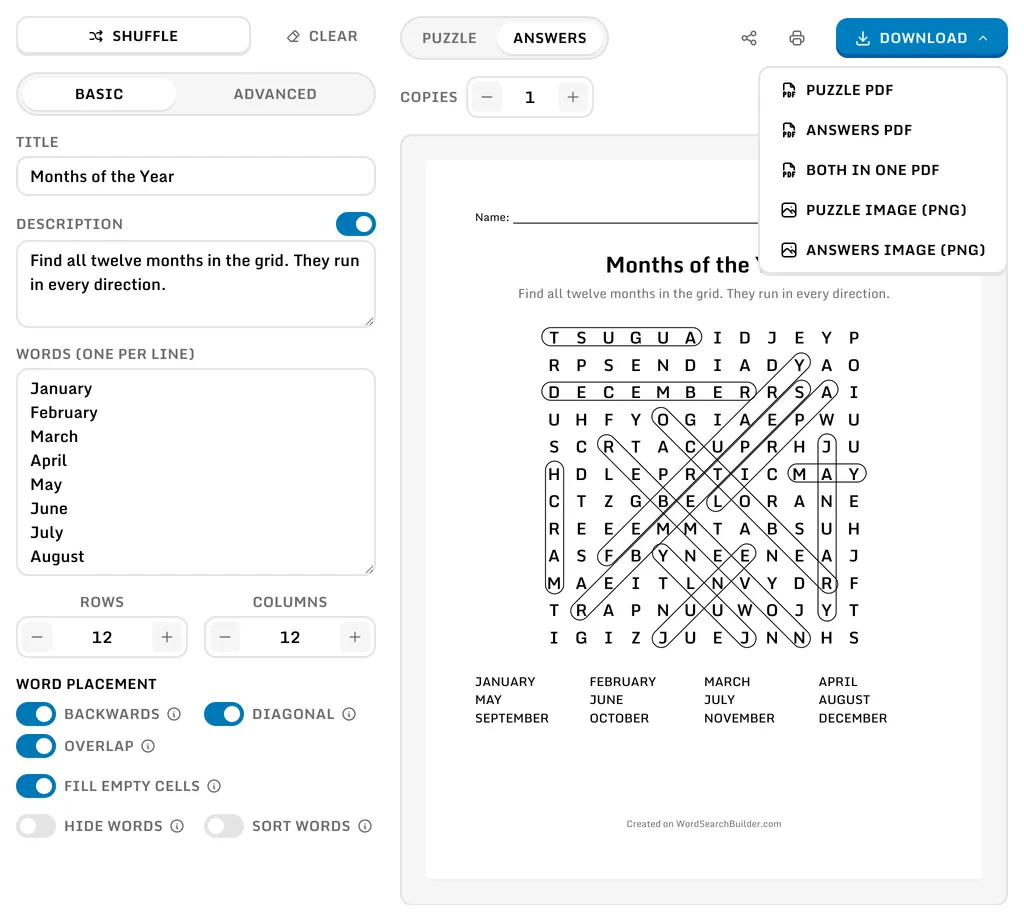
The Answers tab above the sheet shows where each word is, every one marked in the grid. Open Download to save the puzzle, the answers, or both as a PDF, or either sheet on its own as a PNG image. Every file is named after your title.
- 7
Set Copies, above the sheet, for more than one puzzle from the same words. Every copy is a different grid, so a class can have a sheet each, and the arrows at the end of the row page through them. Download then holds the whole set: every puzzle, every answer sheet, or both in one PDF, the puzzles first and the answer sheets after in the same order, each sheet printed with the copy it is. The PNG images are for a single sheet, so they come back when the count is one.

Frequently Asked Questions
- ?How big can the grid be?
- From 5 to 50 letters each way, with the rows and columns set separately, so a wide short grid is as easy as a square one. The letters are sized to fit the page, so even a 50 by 50 grid prints on a single sheet.
- ?What happens to a word that does not fit?
- A notice above the sheet names it, and if a larger grid would fit the whole list, that size is one click away. Until then the word is left out of the puzzle and off the printed word list, so nobody goes looking for a word that is not there.
- ?Which directions do the words run?
- In all eight directions to start with, since Backwards and Diagonal are both on. Turn them both off and words run across and down only. Backwards on its own adds the reverse of those two, and Diagonal on its own adds the one diagonal that runs down and to the right.
- ?Can a word turn up somewhere the answers do not mark?
- Almost never. Fill letters can spell a word by accident, so grids are generated until one has every word reading only where the answer sheet marks it: up to a hundred of them. On a grid packed tight enough that none of them come out clean, the closest is kept.
- ?What is the secret message?
- A second puzzle hidden in the same grid. Turn on Secret Message on the Advanced tab, type one in, and the cells no word covers spell it out instead of holding random letters, read left to right and top to bottom, so whoever crosses off every word is left with your message. Both sheets show a blank for each of its letters below the word list, split into words, and the answer sheet fills them in. If the message is longer than the free cells, a notice above the sheet says how much was cut.
- ?Where do the fill letters come from?
- A Scrabble set, so the grid fills at roughly the rate English uses each letter rather than an even spread of the alphabet. Type your own into Fill Letters on the Advanced tab to replace it; a letter listed twice appears twice as often. Only the letters listed are used, so if your words have accents, add those letters yourself or a lone accented letter will point straight at its word.
- ?Can the empty cells be left blank?
- Yes. Turn Fill Empty Cells off and only the words are printed, every other cell left blank, an easier sheet for the youngest solvers. A secret message is still spelled out in the cells no word covers, so turn that off as well for a completely blank background.
- ?Does capitalization or punctuation matter?
- No. Spaces, hyphens, and punctuation are ignored when a word is placed, so "O'Hare Airport" is hidden as OHAREAIRPORT but printed in the word list as O'HARE AIRPORT. Accents are kept, so an accented letter is hidden as itself. Letter Case, on the Advanced tab, sets whether the grid and the list are uppercase or lowercase.
- ?Can I give every student a different puzzle?
- Yes. Set Copies above the sheet to as many as a hundred and each one is a different grid from the same words, so no two sheets are alike and no two neighbours can copy. Page through them with the arrows at the end of the row, and one download holds the lot: every puzzle first, then every answer sheet in the same order, each saying which copy it is so a key is never mixed up with the wrong puzzle.
- ?Is my puzzle saved anywhere?
- Your most recent puzzle is kept in the browser, so it is still there when you come back, and Clear resets it to a blank sheet. Nothing is sent to a server and there is no account to create.
- ?Is it really free?
- Yes. Every option and every PDF is free, for a classroom, a party, a newsletter, or anything else you print them for.